← Swipe to see more →
The chore chart that locks your kid's games and apps until the chores are done. Kids snap a photo, earn points and screen time, and Lockie, their lock buddy, cheers them on. You stop nagging. Free to start.
Set up your whole family in under a minute. iPhone and iPad today. Android coming soon to Google Play.
← Swipe to see more →
No accounts to build, no manuals to read. One parent, one minute, whole family in.
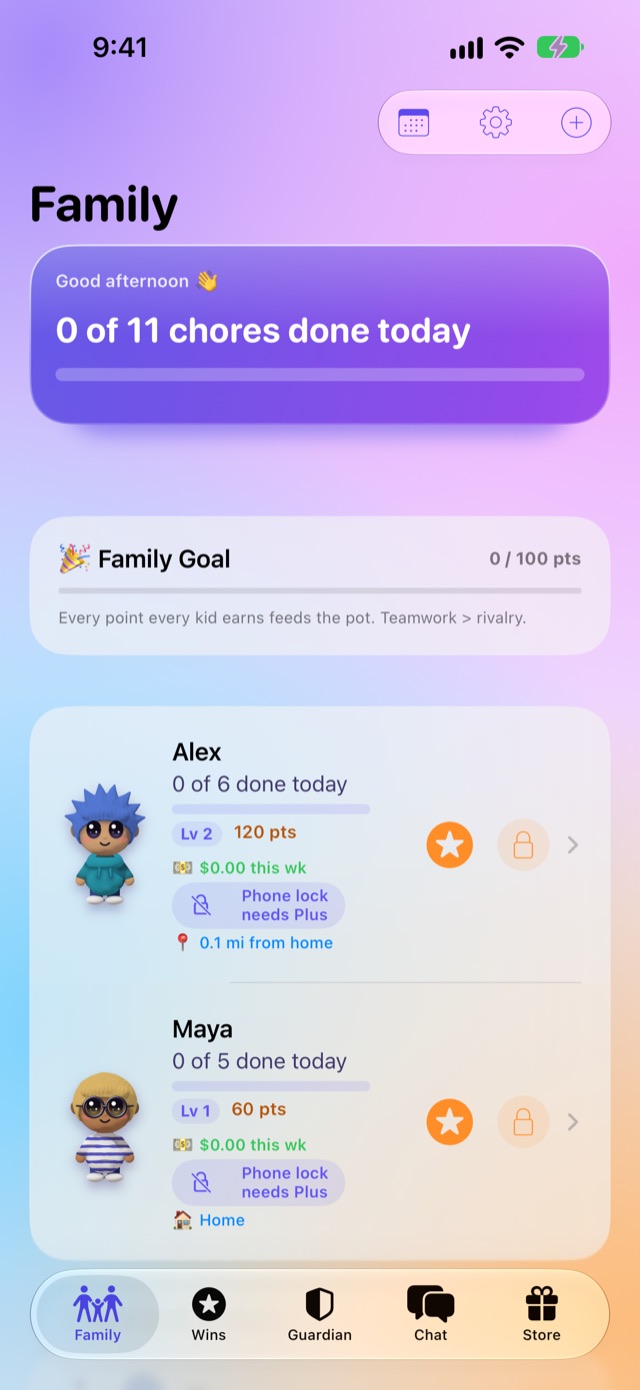
ChoreLocks builds each kid an age-fit chore list on the spot — a 5-year-old gets "put toys away," a 12-year-old gets the trash. Change anything later.
One tap on your end, two taps on theirs. Each kid picks their name and their phone is in the family — chores, points, and the lock included.
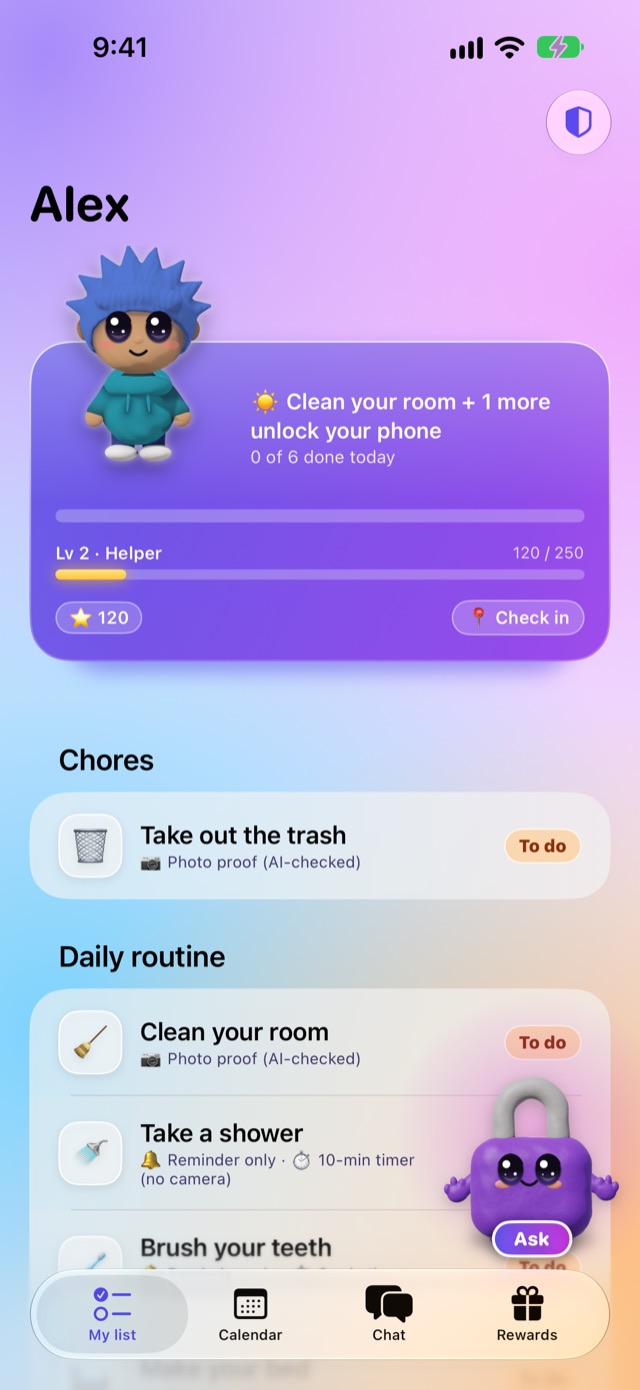
Games and apps stay locked until the list is done. Kids snap a photo, the AI checks it fairly for their age, points land, phone unlocks. Everybody wins.
0
chores done by ChoreLocks families
Getting chores done, one family at a time.
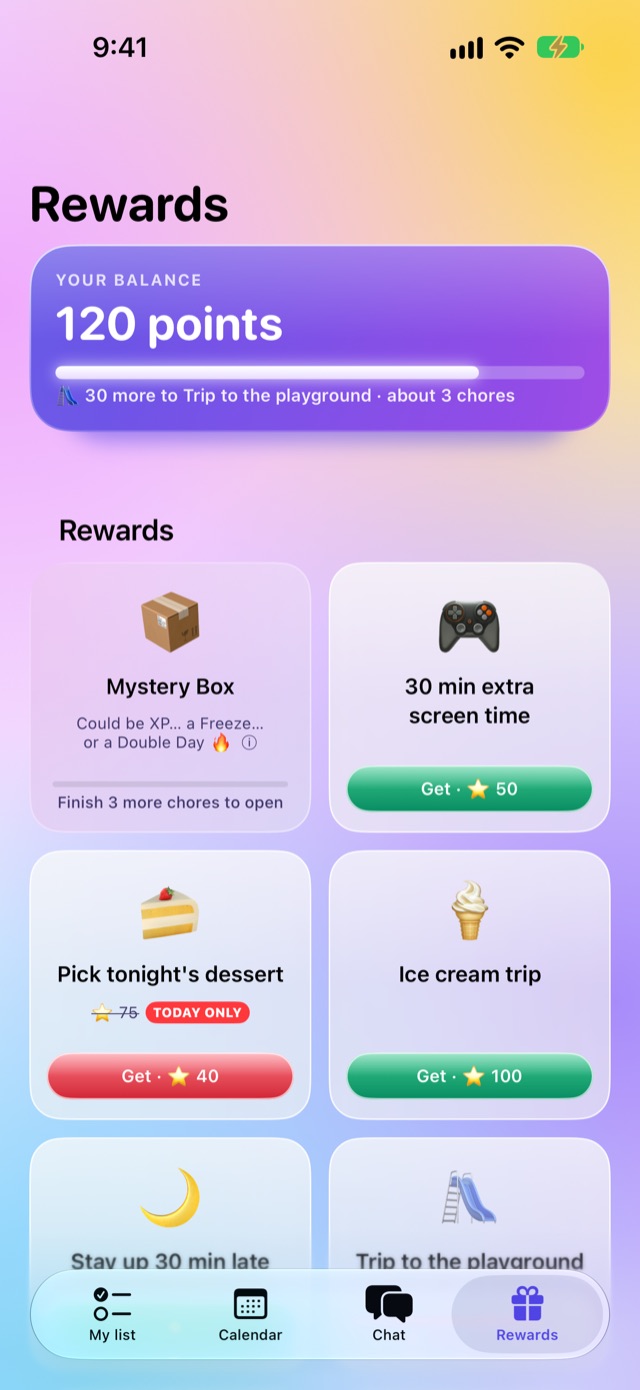
Not a checklist with a lock bolted on — a reward system with three speeds: right now, this week, and the big dream.
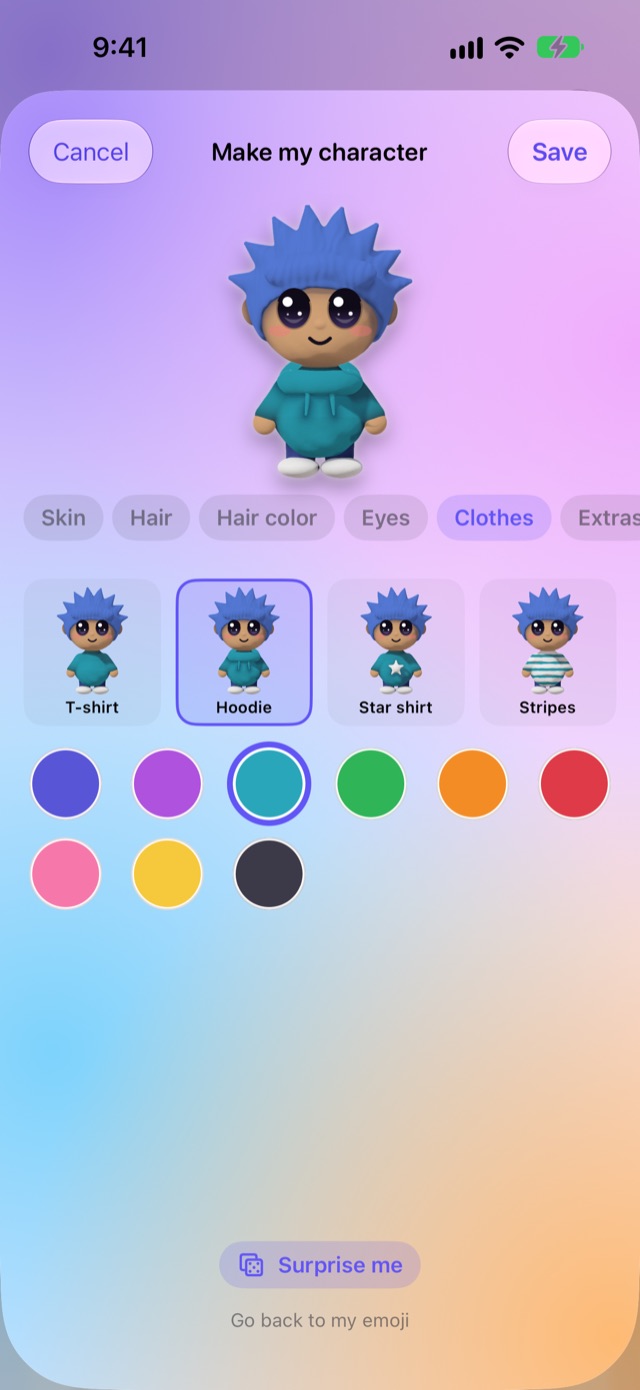
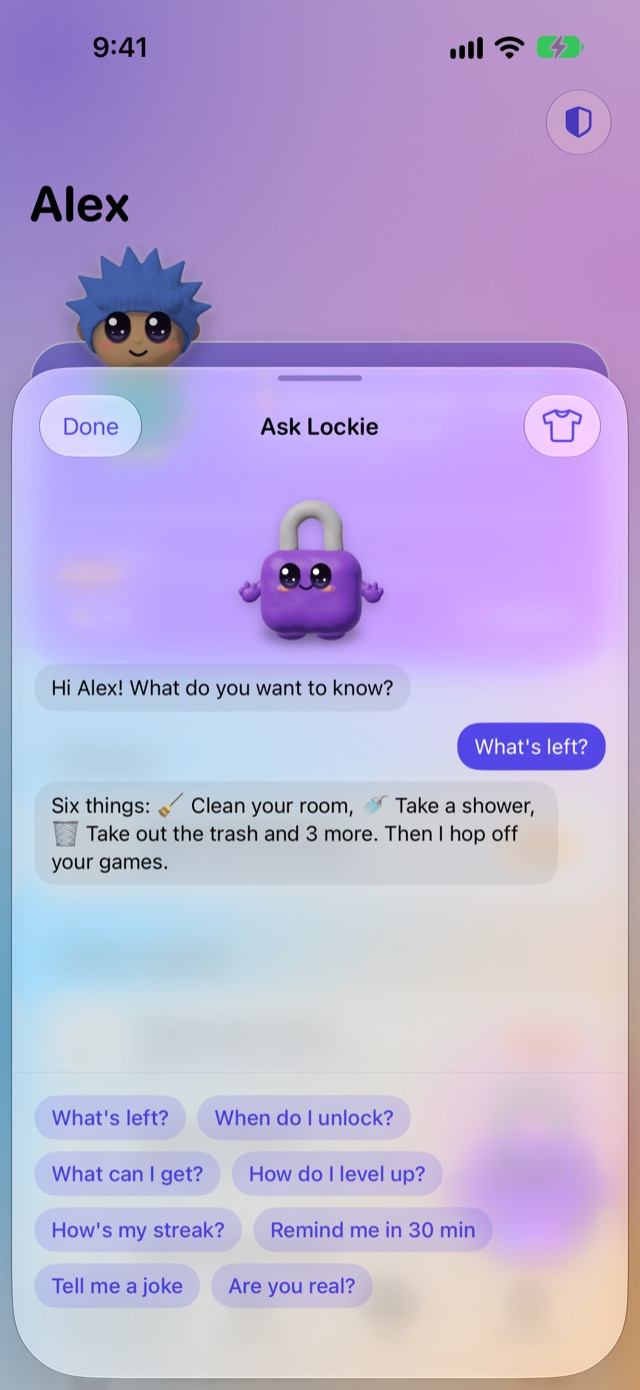
The lock from our logo, alive in the corner of every screen. Poke it, drag it, dress it up. It cheers when chores are done and gets mad (or sad) when a kid is grounded. Its voice is recorded and ships in the app, so nothing leaves the phone.
Lockie's voice is computer-made.
Off until a parent turns it on. Homework hints, never the answers, and short, age-right answers to curious questions. Parents can read every chat.
Pick the ONE big physical prize — a graded trading card, a LEGO set, a bike. It sits in gold at the top of the store as a weeks-long quest, and the claim moment is a full-screen celebration.
Kids prove the chore with a photo. The AI grades a 6-year-old like a 6-year-old and a teen like a teen — sloppy tries cost points, honest effort passes.
Deal of the Day at 40% off, a Mystery Box with a jackpot inside, and surprise Power Hours where every chore pays double. There's always a reason to check back.
Attach a real gift card to a reward and it buys itself the moment the goal is hit — parent-approved, on the family card, delivered straight into the kid's app.
Streak multipliers up to 2×, a weekly family race with a Champion crown, a Boss Chore that pays double all week, and a monthly badge board with bonuses.
Built on Apple Screen Time. A parent approves once, and apps genuinely lock until the work is done — with school mornings kept free and a one-tap parent free pass for special days.
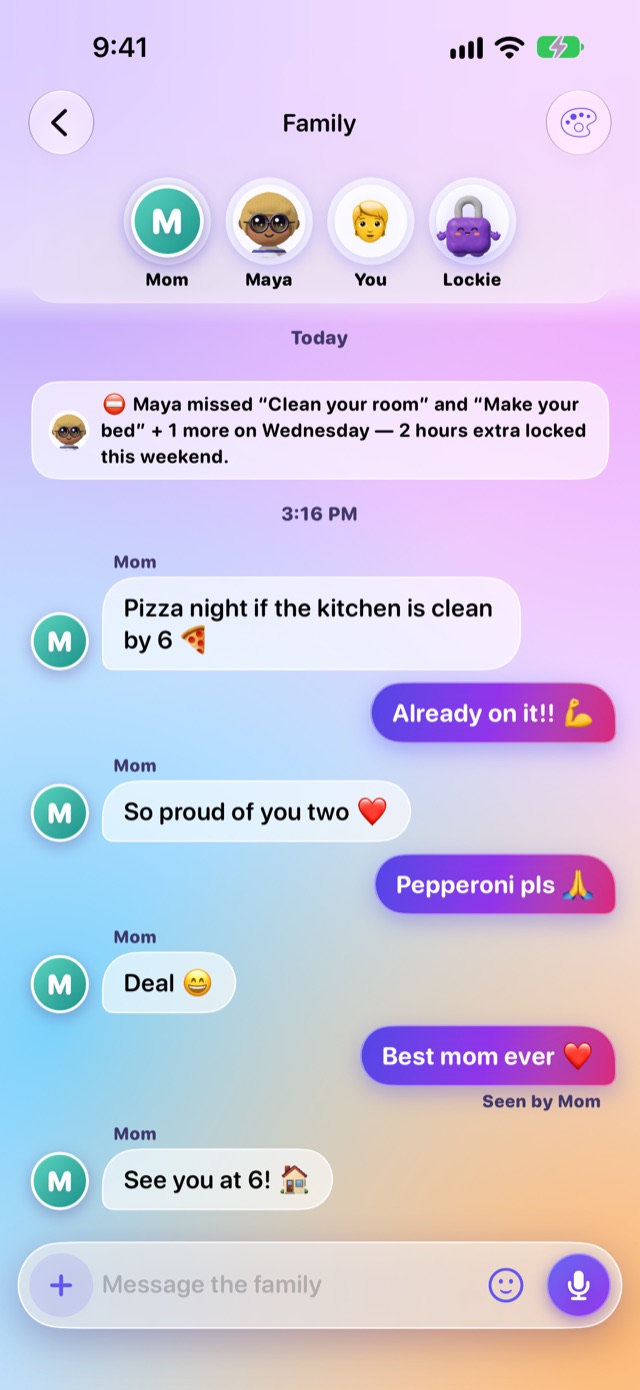
Group chat and kid-to-kid messages parents can see — reactions, replies, photos, and every finished chore celebrated automatically.
Add each kid's school calendar and days off automatically relax that kid's locks — multi-school families included.
The Parent Dashboard mirrors the app on any computer — verify chores, give points, stock the store, flip settings. Same household code, no new account.
Yes — ChoreLocks uses Apple's Screen Time system to shield apps until the list is done. A parent approves it once on the kid's phone (Apple requires the parent's own password for kids' accounts), and from then on the lock runs itself. It fails safe: if anything ever goes wrong, the phone unlocks rather than locking wrongly.
Mornings stay free. You pick the hour locks start (4 PM by default), so alarms, buses and homework apps are never hostage. Only chores you mark "before school" can hold the phone in the morning — and weekends and school holidays relax automatically.
Built for roughly 4–13. Chore lists, reward ideas and the AI's photo judging all adjust to each kid's age — a little kid's genuine best effort passes, a big kid is held to a bigger-kid standard.
Yes — any number of parents join with the same household code and see the same family, on their phones or at the Parent Dashboard on the web. There's a private co-parents chat too.
No ads, and we never sell or rent your family's information. Lockie's voice plays from the phone itself. Photo checks use AI, and a parent can turn AI photo checks off for the whole family and approve photos by hand. Details are in our privacy policy.
A paper chart can't hold the iPad. ChoreLocks uses Apple's Screen Time to keep games and apps locked until the list is done, checks the work with a photo, and pays points automatically, so there's nothing to argue about.